How to share files only with your paying supporters
Updated 2026-10-21 · 6 min read
You post a download link for your supporters. A week later the same link is in a Discord server you've never heard of, and people who never supported you are downloading your work. If that sounds familiar, the problem isn't your supporters. It's that a plain link doesn't know who is clicking it.
Why a normal download link leaks
Cloud storage links from Google Drive, Dropbox or MEGA are designed to be shared: anyone who has the URL can open it. Your membership post may be locked, but the link inside it isn't. Once one person copies it, it works for everyone, and you have no way to tell who downloaded what.
Common workarounds, compared
| Method | What works | Where it falls short |
|---|---|---|
| Cloud link in a locked post | Fast to set up, handles big files | The link itself is public; one copy and it's out |
| Password-protected ZIP | Adds a step for casual visitors | The password usually travels with the link |
| Replacing links every month | Old leaks stop working | Manual work, broken links for new supporters, still shareable during the month |
| Role-gated Discord channel | Roles follow membership automatically | Upload size limits, supporters must join Discord, files can be re-shared |
| Attachments on the post | Access follows the post | Fine for small files; big PSDs, videos and project files often end up on external links again |
None of these are wrong, and for small or casual releases they're often enough. They just all share the same weakness: at some point the file sits behind a link that doesn't check who you are.
A link that checks membership every time
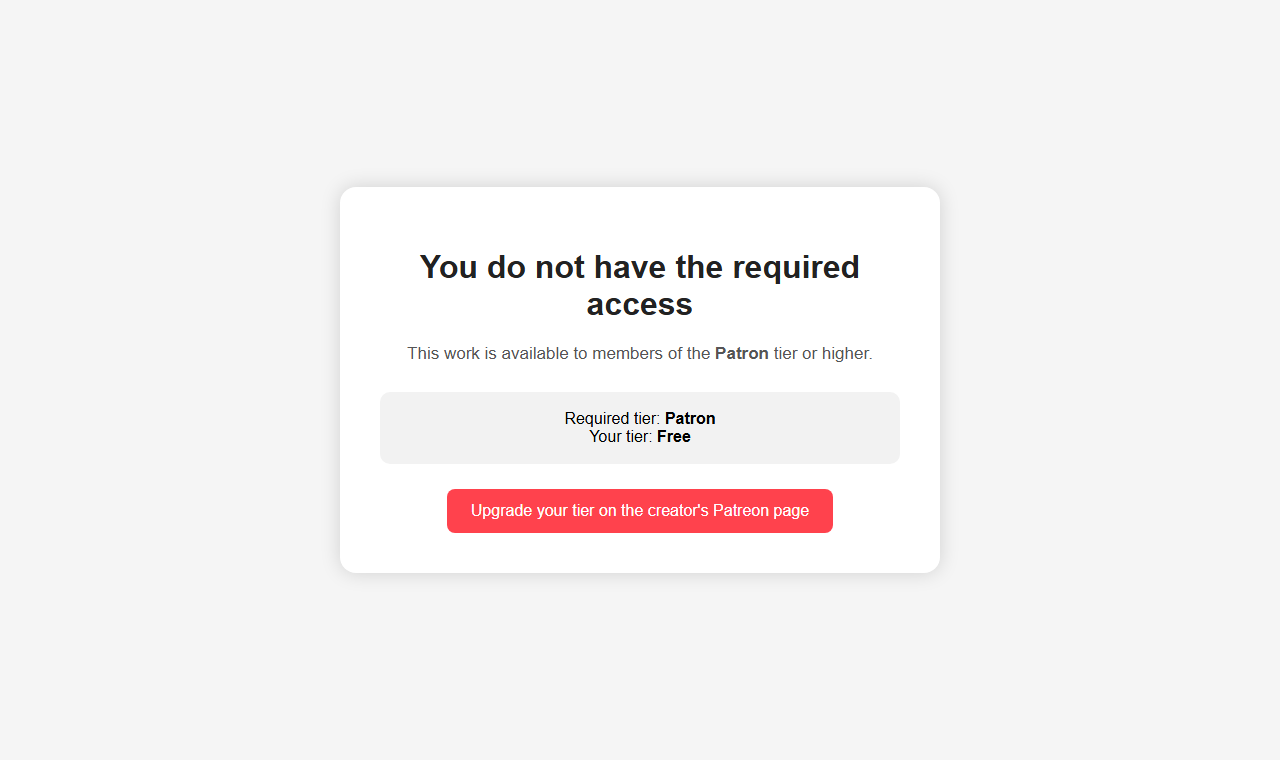
The fix is to put a check in front of the file. Instead of the storage URL, your post contains a protected link. When someone opens it, the link asks them to sign in with Patreon, confirms their current tier for your page, and only then hands over a short-lived download. Copying the link to another site doesn't help anyone: a non-supporter who opens it gets an upgrade screen, not the file.
With Creation Protector, setting this up takes three steps:
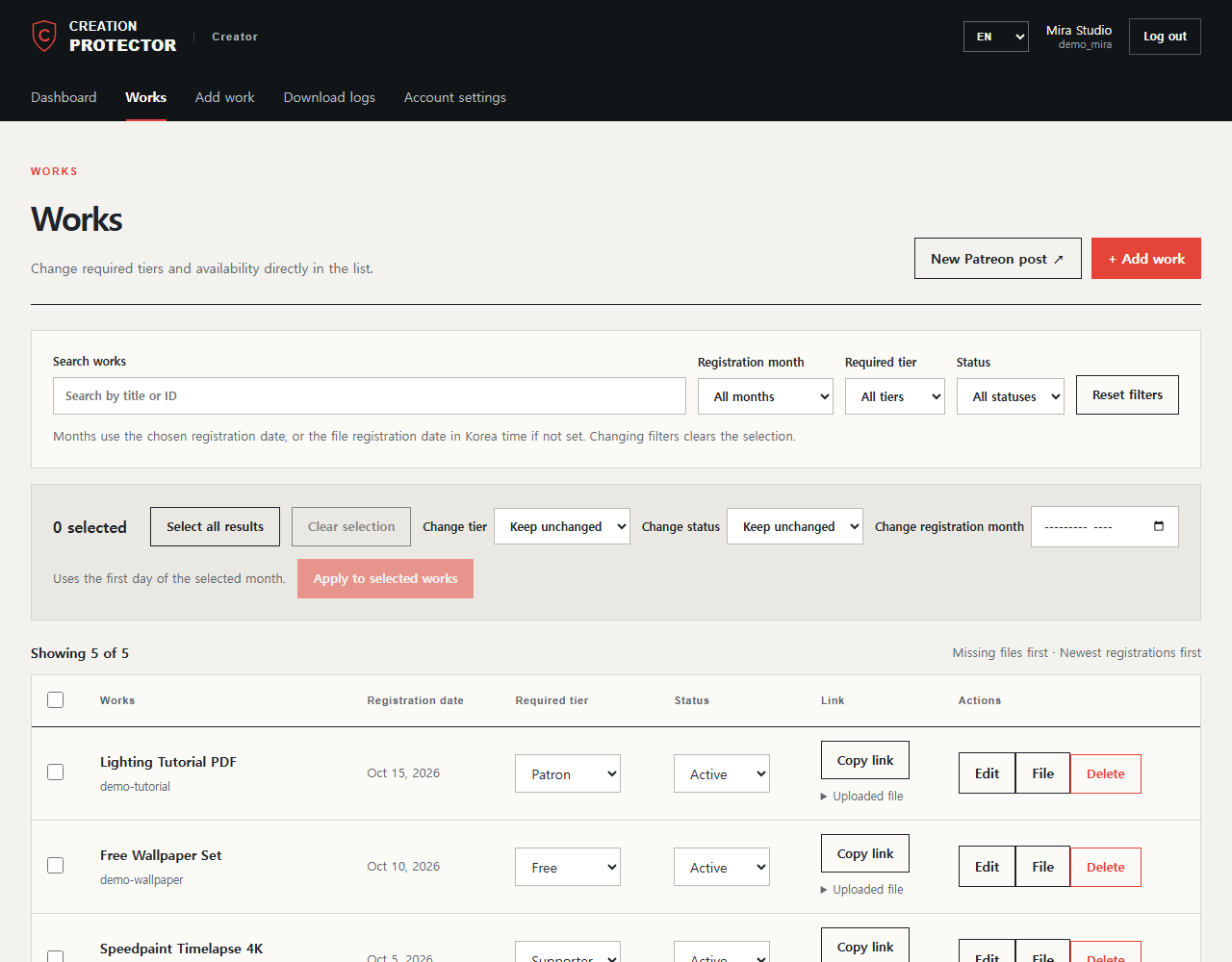
- Sign in with your Patreon creator account. Your tiers are imported automatically, so there's nothing to copy by hand.
- Add a work and choose the minimum tier. Upload the file, pick for example "Supporter or higher", and save. Higher tiers automatically get everything below them.
- Paste the protected link into your post. Use the Copy link button and put the link in any post, old or new.
What your supporters see
- Right tier: they sign in with their existing Patreon account (no new account), and the download starts. The check is remembered for up to an hour, so opening several links in a row doesn't ask again.
- Lower tier: they see which tier the work needs and a button to your page to upgrade.
- Not a member: they get a short message and a link to your page.
What it protects, and what it doesn't
Being clear about the limits matters, so here they are:
- It protects the link. Every click is checked against the supporter's current tier. If they cancel, the next click is refused.
- The file URL expires. The actual download address is valid for a few minutes, so copying it from the browser doesn't create a new public link.
- You can see who downloaded. Download logs show which supporter downloaded which work and when, which makes unusual activity easy to spot.
- It can't stop re-uploads. Once someone has the file on their computer, no download system can prevent them from re-uploading it. A membership check removes the easy, link-sharing kind of leak; it isn't DRM.
Questions creators ask
- Do my supporters need to create an account?
- No. They sign in with Patreon, which they already use.
- What does it cost?
- The free plan includes 5 works and 2 GB of storage. Works open to free-tier members are limited to 250 MB per file. Larger plans are on the pricing page.
- Can I use it with posts I've already published?
- Yes. Replace the old link in the post with the protected link; nothing else changes.
- Is this run by Patreon?
- No. Creation Protector is an independent service that uses Patreon sign-in to check membership.
Try it with one file. Set up a protected link in a few minutes on the free plan.
Start for free